

The no-code home for your playbook
The Playground collapses a three-day authoring job into about thirty minutes. Describe an agent, get a working playbook, test it by voice, harden it, and take it live - without leaving one screen. It runs the same stack production does. The playbook is authored with SuperDialog; the browser voice call is served by the sameAgentRunner that
serves a real phone call. What you hear in the Playground is what a caller
hears. How that seam is wired:
SuperDialog on Unpod voice.
▶Open the PlaygroundLaunch it at superdialog.unpod.ai/playground, describe an agent, and start talking to it in your browser. A guest trial lets you build before you sign up.→
One screen, three surfaces
1
Agent chat (left, always present)
You describe the agent in plain English (“confirm appointments, fall back to
5pm”). The builder agent authors and edits the playbook for you. Attach a
PDF or paste a URL and it reads from those too.
2
Editor tab (right)
The live playbook YAML. Every change the chat makes lands here; you can also
edit it by hand. Validation runs as you type.
3
Preview tab (right)
The voice test. Press to talk, speak like a caller, and watch the transcript,
the current checkpoint, and the metrics update live.
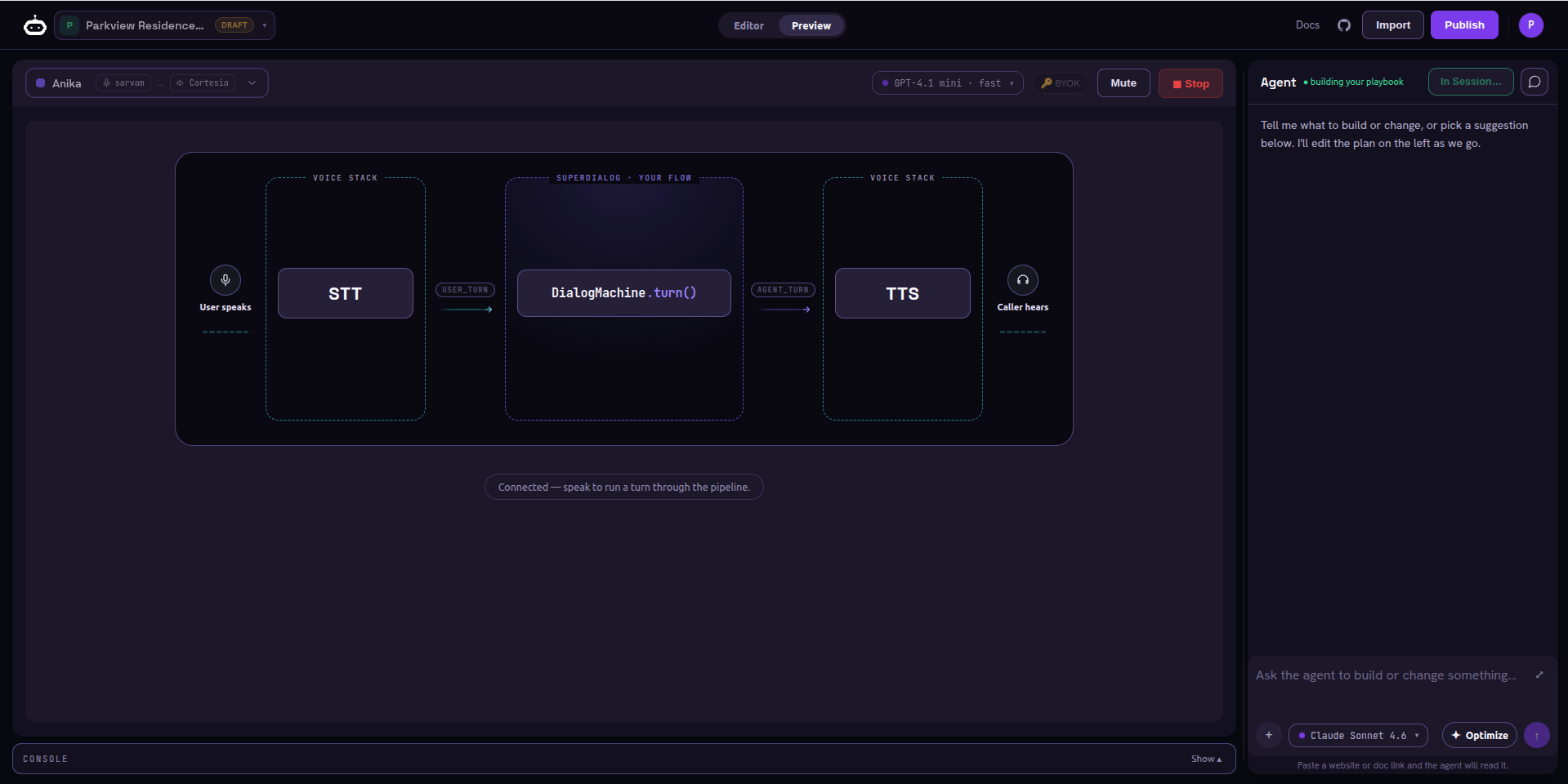
One screen - the builder chat on the right, Editor/Preview tabs up top, the voice profile and model pickers, and the Press-to-talk orb in the center
The end-to-end journey
1. Build an agent playbook
Describe it in chat or start from a document; the agent writes the playbook.
2. Test by voice
Press to talk in the browser and confirm it behaves like a real call.
3. Optimize
Run simulated personas, score goal completion, and harden the weak spots.
4. Publish & share
Set visibility, share by link, clone, then deploy - as a voice agent on a
number, or as an API endpoint.
Reuse an existing agent
You do not have to start from a blank page.Browse the playbook gallery
The Public tab lets you open and clone any agent others published; the
My Playbook tab holds your own drafts.
Who this section is for
The Playground is where you build and prove an agent. To put it in front of
real callers, deploy the published agent as a Voice Agent on a
number (it wires a Speech Pipe
for you) - covered in Publish & share.