

Preview is the test
There is no separate “test mode” and no phone number needed. The Preview tab runs a live voice session against your current playbook using the sameAgentRunner that serves a production call. What you hear here is what a caller
hears.
Your microphone streams up at 16 kHz; the agent’s synthesized voice streams back
at 24 kHz. The audio rides a WebSocket bridge; the transcript and checkpoint
arrive on a separate side channel, so the transcript stays accurate even when
audio is under load.
Step 1 - Set the voice and model
The Preview header has the run controls:Voice profile
Pick the voice the agent speaks in - the same voice a real caller would hear.
Each profile shows its language, its STT + TTS providers, an estimated
cost per turn, and a WER (word-error-rate) quality hint.
Model
Choose the LLM the agent runs on for this test (separate from the builder
model in the chat). The picker shows speed/cost hints like
GPT-4.1 mini · fast.
BYOK lets you run on your own provider key.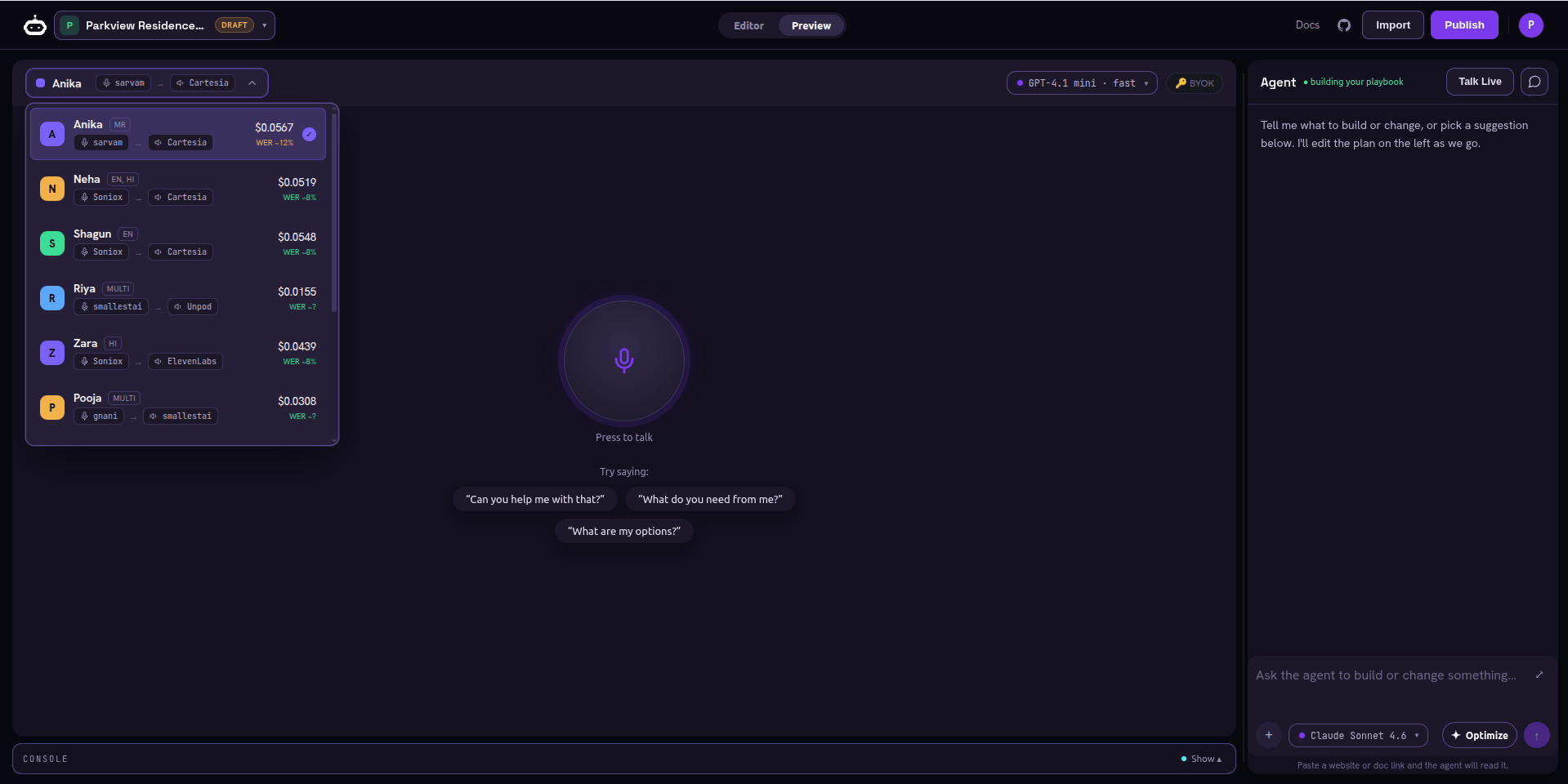
Voice profile picker - language, STT/TTS stack, cost per turn, and WER for each voice
Step 2 - Press to talk
The center of the Preview is a single Press to talk control.1
Idle
You see the orb plus a row of “Try saying:” opener chips - example first
lines pulled from your playbook. They are prompts for you; they are not
injected into the agent.
2
Connect and speak
Press it, allow the mic, and talk as a caller would. The session connects and
the agent answers in the voice you chose.
3
Live
The transcript fills in turn by turn with timestamps, a slim pipeline readout
shows the current stage, and level meters confirm audio is flowing.
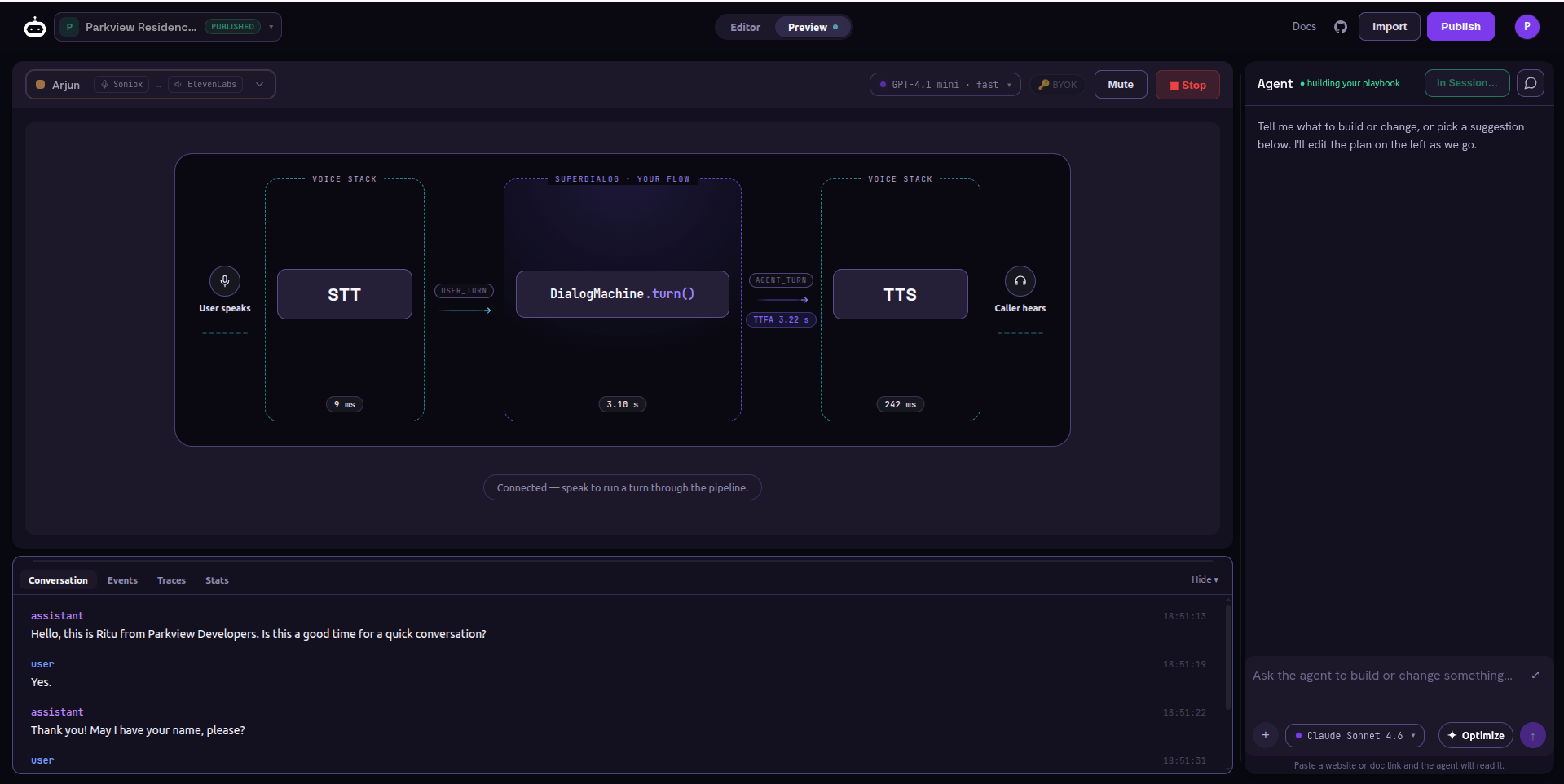
Connected - each turn runs through the same STT -> DialogMachine.turn() -> TTS pipeline a live caller hits
Step 3 - Read the live signal
While you talk, three things tell you whether the playbook works:What to actually check
- The persona and voice sound right to a caller.
- Checkpoints advance on the conditions you wrote (
done_when/advance_when) - not too early, not too late. - Slot collection works: the agent captures what it needs (order number, callback) before moving on.
- Interrupts fire from any step - saying “goodbye” or “I’m busy” ends the call gracefully.
Step 4 - Dig in when something is off
Open the advanced drawer below the call for the detailed console: the EVENTS log, traces, and per-turn LLM calls. Use it to see why a checkpoint did not advance - the Director’s judgment and any tool calls are all there.The tight loop
Testing is meant to feed straight back into authoring - both panes stay mounted, so a turn in flight survives a tab switch:1
Hear a problem in Preview
e.g. the agent offers 5pm before the caller declines 4pm.
2
Fix it in chat or the Editor
“Only offer 5pm after the caller says 4pm doesn’t work.” The YAML updates.
3
Press to talk again
Re-test the same path. Repeat until it behaves.
Next step
When it behaves on the paths you tried by hand, let the optimizer stress it against many simulated callers.Optimize the playbook
Run generated personas, score goal completion, and harden the weak spots
automatically.