You need an Unpod number to make or receive calls: it’s the from of the calls you place
and the number people dial to reach you. Add one from the Unpod pool in either of two ways:
Using the Telephony APIs (Quick Start)? Attach the number
from the API with attach_type="human_call". The steps below connect it
to a SIP trunk or an agent.
1
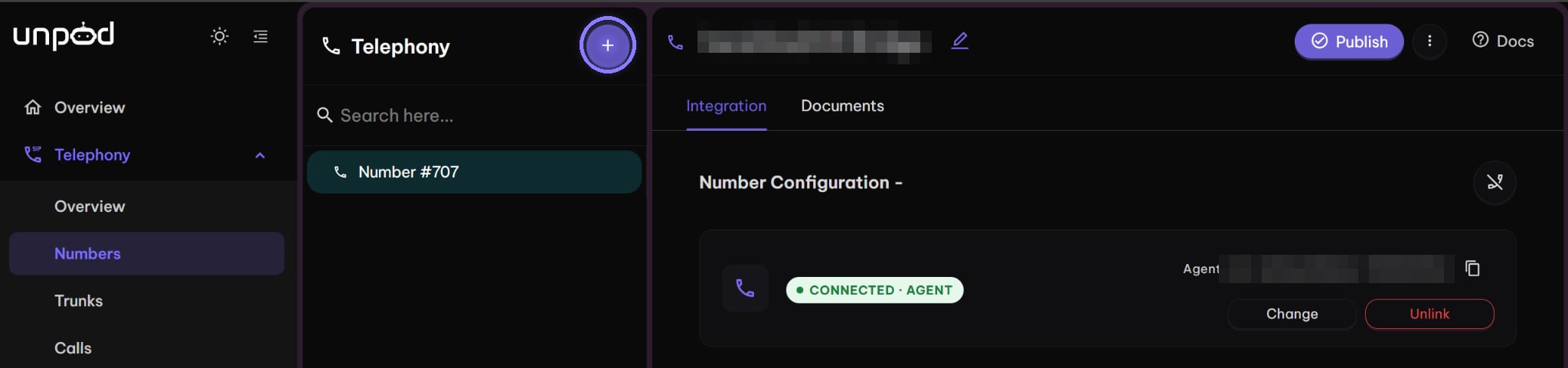
Open Telephony → Numbers and click +
The + button next to the Telephony heading opens the number pool.
Telephony → Numbers - the + button opens the number pool
2
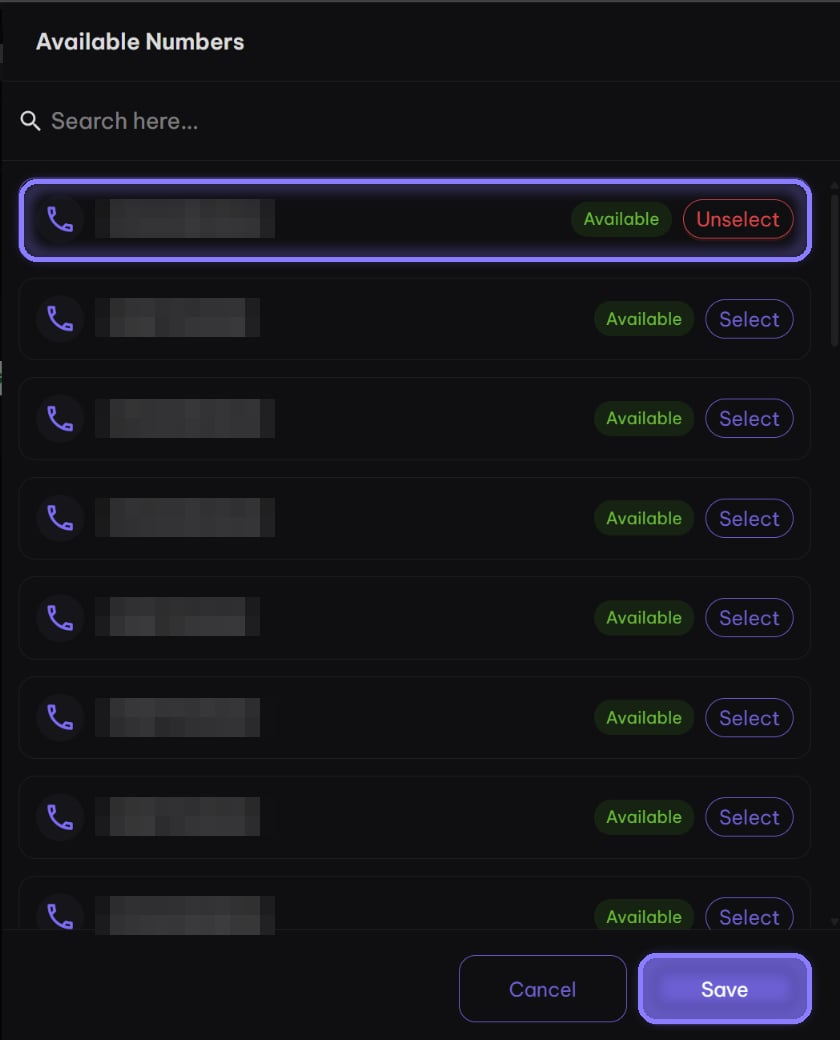
Select a number and click Save
Available Numbers lists every number you can add. Click Select on one, then
Save.
Available Numbers - select one, then Save
3
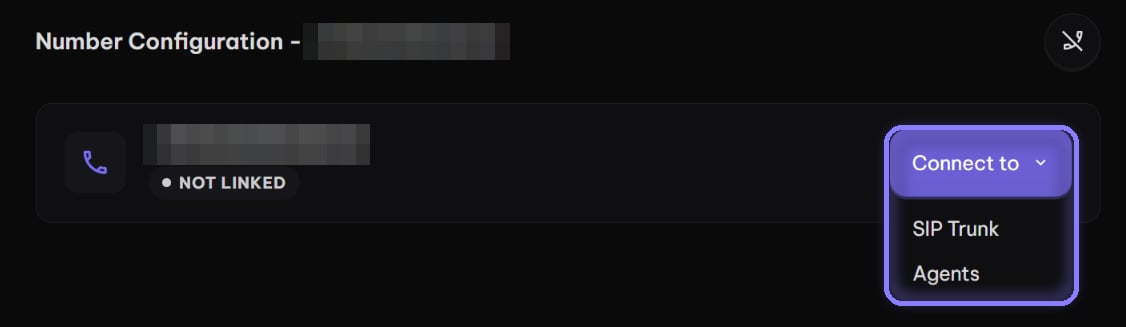
Click Connect to
The number starts Not Linked. Connect to offers SIP Trunk (your own SIP
client places and answers calls) and Agents (an Unpod AI agent answers).
A new number starts Not Linked - Connect to opens the options
4
Ready (SIP Trunk)
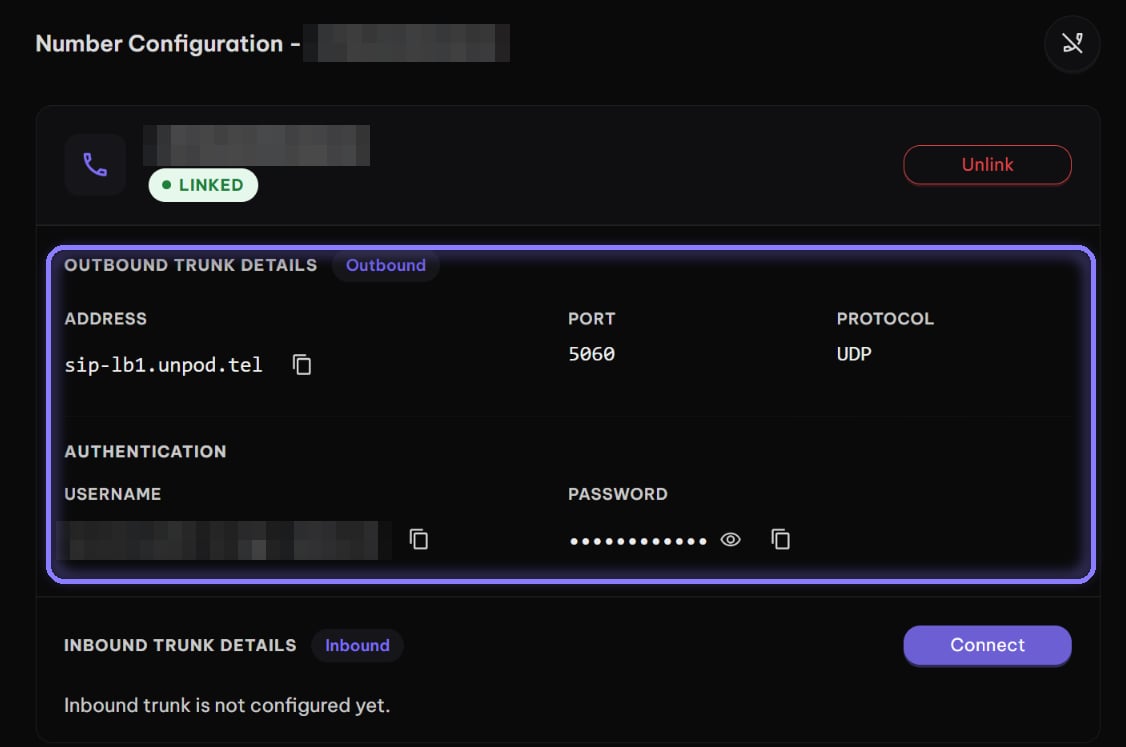
After Connect to → SIP Trunk, the number turns Linked and shows its outbound
trunk details.
Outbound Trunk Details - ready as soon as you choose SIP Trunk
The list holds the free pool plus the numbers your org already has. Pick one whose
state is NOT_ASSIGNED and whose active is true. The SDK folds both into
status: not_assigned means you can attach it.
from unpod import Clientwith Client() as client: for n in client.telephony.numbers.list(): print(n.number, n.status) # not_assigned, assigned or closed
import httpxfrom unpod import ClientNUMBER = "+919000000001" # a not_assigned number from the listwith Client() as client: try: result = client.telephony.numbers.attach(NUMBER, attach_type="human_call") except httpx.HTTPStatusError as e: # nothing attached: the body says why raise SystemExit(e.response.text) for r in result.numbers: # one row per number print(r.number, r.ok, r.connection_state, r.error)
Pass one number or a list, in strict E.164 (+ and the country code). Each number
succeeds or fails on its own: check ok and error on every row (data.numbers in the
cURL response). If no number attaches, the whole request fails: 400, 402 (no balance)
or 206 (over your plan’s channel quota). The SDK raises httpx.HTTPStatusError on 400
and 402, but not on 206, so still check ok.
Option
Who handles the calls
attach_type="human_call"
Your app, with the Telephony APIs. Leave out agent_id
agent_id="…"
An Unpod AI agent (attach_type="agent", the default)
attach_type="pipeline", pipe_id="…"
An Unpod pipeline. pipe_id is required (over HTTP send supervoice_agent_id; pipe_id is an accepted alias)
To receive calls on a human_call number, point it at your app: see
Incoming Calls.
Detach releases the number back to NOT_ASSIGNED; it isn’t deleted. A number your org
owns stays yours to attach again. A number you took from the shared pool goes back to the
pool, where another org can take it.
from unpod import Clientwith Client() as client: result = client.telephony.numbers.detach("+919000000001") for r in result.numbers: print(r.number, r.ok, r.error)
connection_state in the overview tells you whether a number is ready:
connection_state
Meaning
NOT_LINKED
Not routed yet. Rejected as the from of a call
PENDING_VERIFY
Routed, waiting for its first real inbound call. Accepted as from
LINKED
A real inbound call has connected through it
ERROR
Routing failed; Unpod retries it in the background
On a call, 400 from_not_owned means from isn’t one of your org’s numbers at all. A
403 forbidden: from is not a number available to this organization means it is yours but
isn’t ready: check its connection_state.