

You need: an Unpod number on a Bridge, and an ElevenLabs account with a
Conversational AI agent (the agent needs a First Message and a selected voice).
Part 1 - Connect the number in Unpod
1
Connect your number
In Telephony, select your number (shown as Not Linked) and click Connect
to set up its SIP trunk.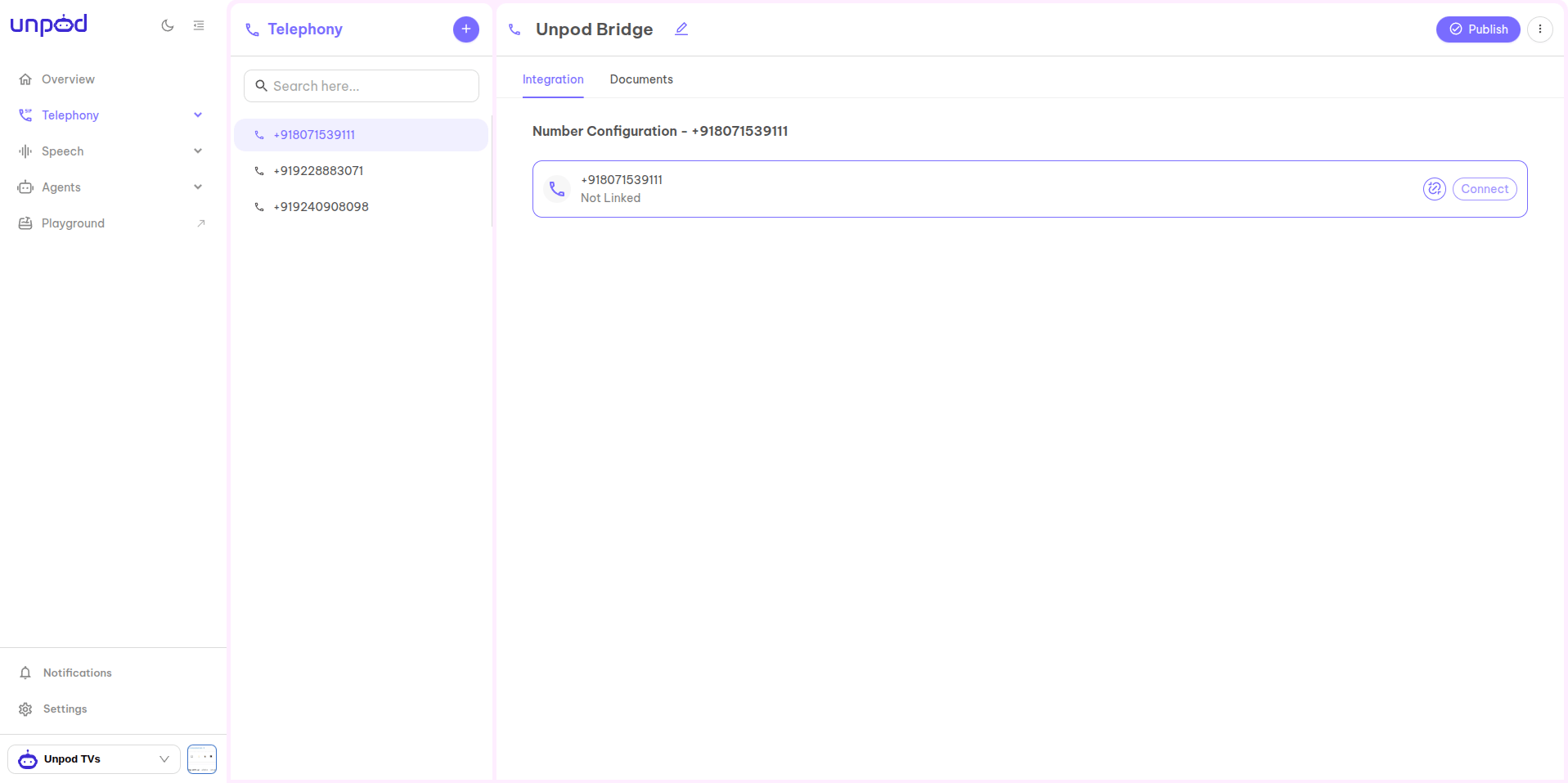
2
Point the trunk at ElevenLabs (inbound)
In the trunk panel, set the Trunk Origin Endpoint Details to ElevenLabs’ SIP host:
- SIP URI / address -
sip:sip.rtc.elevenlabs.io:5060;transport=tcp(or port5061withtransport=tlsfor TLS). - Port
5060(TCP) /5061(TLS). - Allowed IPs / CIDR - optional source allow-list.
Calls Unpod sends to ElevenLabs use the form
sip:<your-number>@sip.rtc.elevenlabs.io:5060 (identifier + domain).3
Copy the origin-endpoint credentials
Under Origin Endpoint Details copy these - you’ll paste them into ElevenLabs next: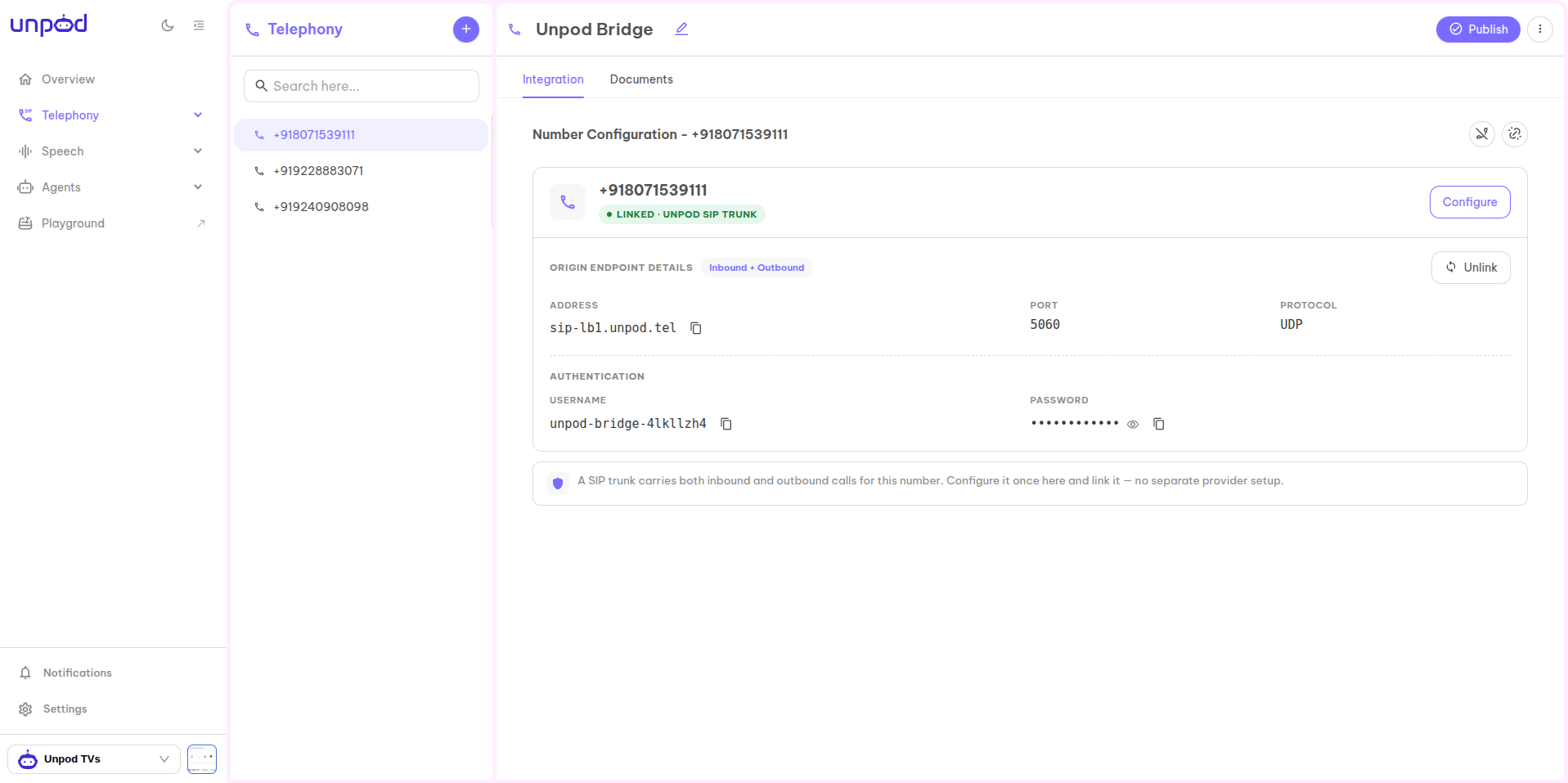
- Address - e.g.
sip-lb1.unpod.tel - Port / Protocol -
5060/TCP - Username and Password (under Authentication)
Part 2 - Import the number into ElevenLabs
In the ElevenLabs Agents dashboard, open the Phone Numbers section.1
Open Phone Numbers → Import
Click Import number, then choose Import a phone number from SIP trunk.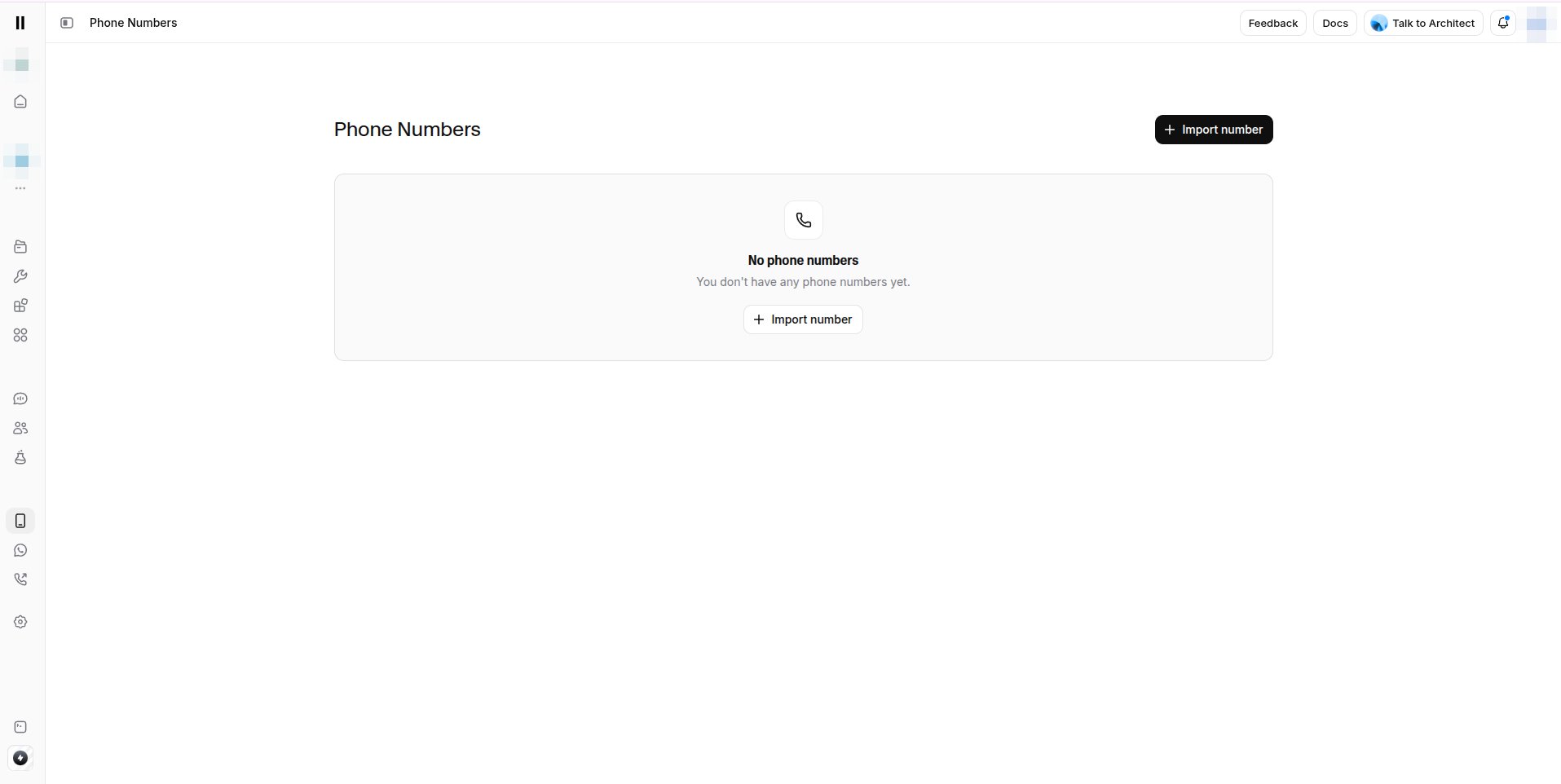
2
Basic configuration
In the Import SIP Trunk panel set: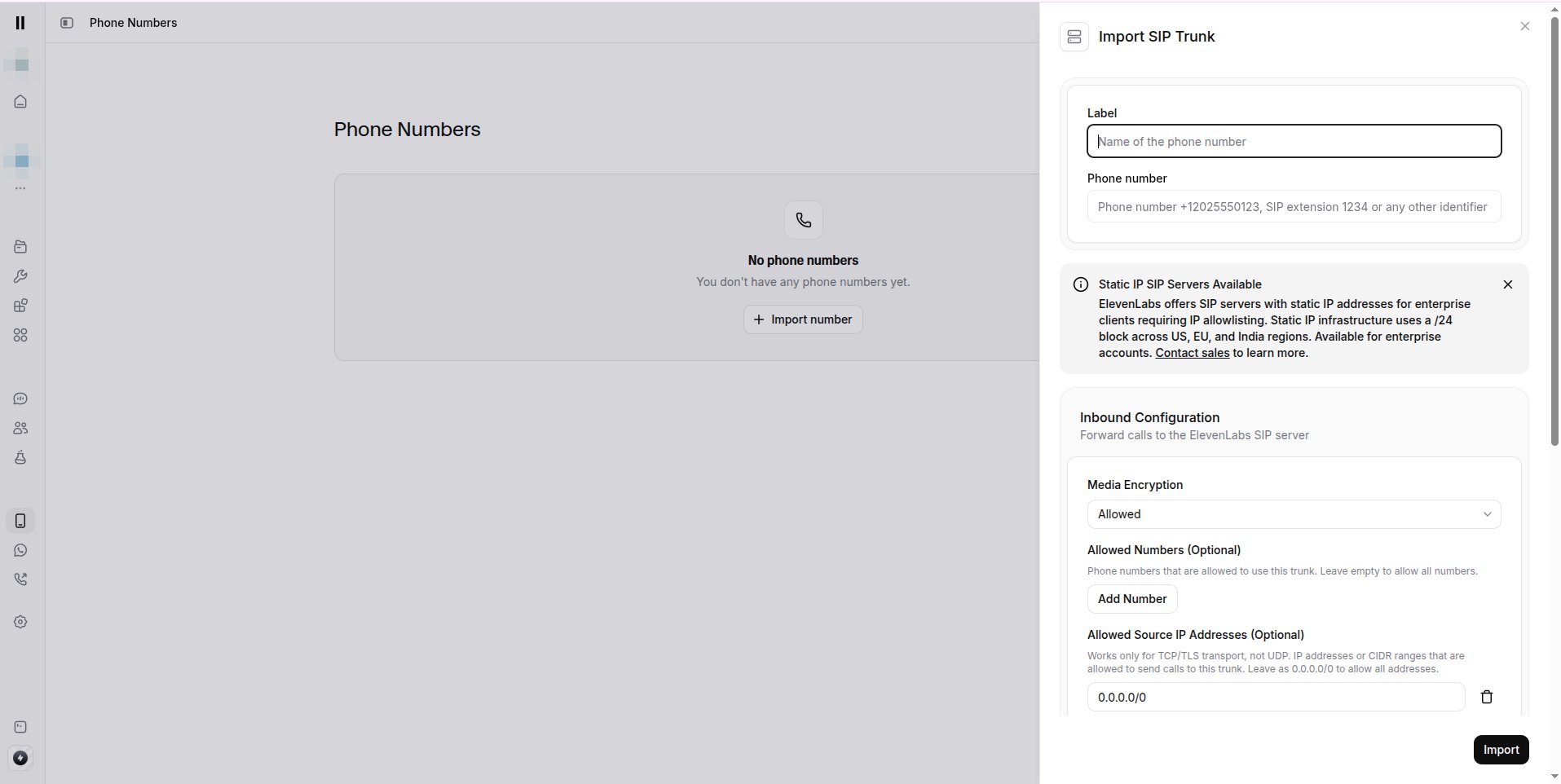
- Label - a descriptive name.
- Phone Number - your Unpod number in E.164 (e.g.
+918071539111), or a SIP extension / identifier.
3
Inbound configuration
Under Inbound Configuration (forwards calls to the ElevenLabs SIP server):
- Media Encryption -
Allowed(useRequiredwith TLS for production). - Allowed Numbers (optional) - leave empty to allow all.
- Allowed Source IP Addresses (optional) -
0.0.0.0/0to allow all (TCP/TLS only; restrict in production).
4
Outbound trunk - point back at Unpod
So ElevenLabs can send calls to Unpod, enter the Unpod origin-endpoint values from Part 1:
- Address - your Unpod address, hostname only, no
sip:prefix (e.g.sip-lb1.unpod.tel). - Transport Type -
TCP(orTLS). - Media Encryption -
Allowed(useRequiredwith TLS for production). - SIP Trunk Username / SIP Trunk Password - the Unpod Username / Password.
Part 3 - Attach your agent
1
Attach the inbound agent
Open the imported number and attach your Conversational AI agent from the
dropdown. Incoming calls now route through ElevenLabs to that agent.
2
(Optional) Make an outbound call
From Phone Numbers, select the imported number → Make Outbound Call → choose the
agent → enter the destination in E.164. Check the agent’s Call History /
Conversations for transcripts and recordings.
Troubleshooting
Do it with code
Same flow over the REST API.
All platforms
Back to the integrations overview.