

You need: an Unpod number on a Bridge, and a Daily account with SIP dial-in enabled
on a room (this gives you a
sip:...@<your-subdomain>.sip.daily.co address).Part 1 - Create the trunk in Unpod
1
Open Configure → New trunk on your number
In Telephony, select your number and click Configure. On the New trunk tab,
set a Name you’ll recognise and the trunk origin endpoint: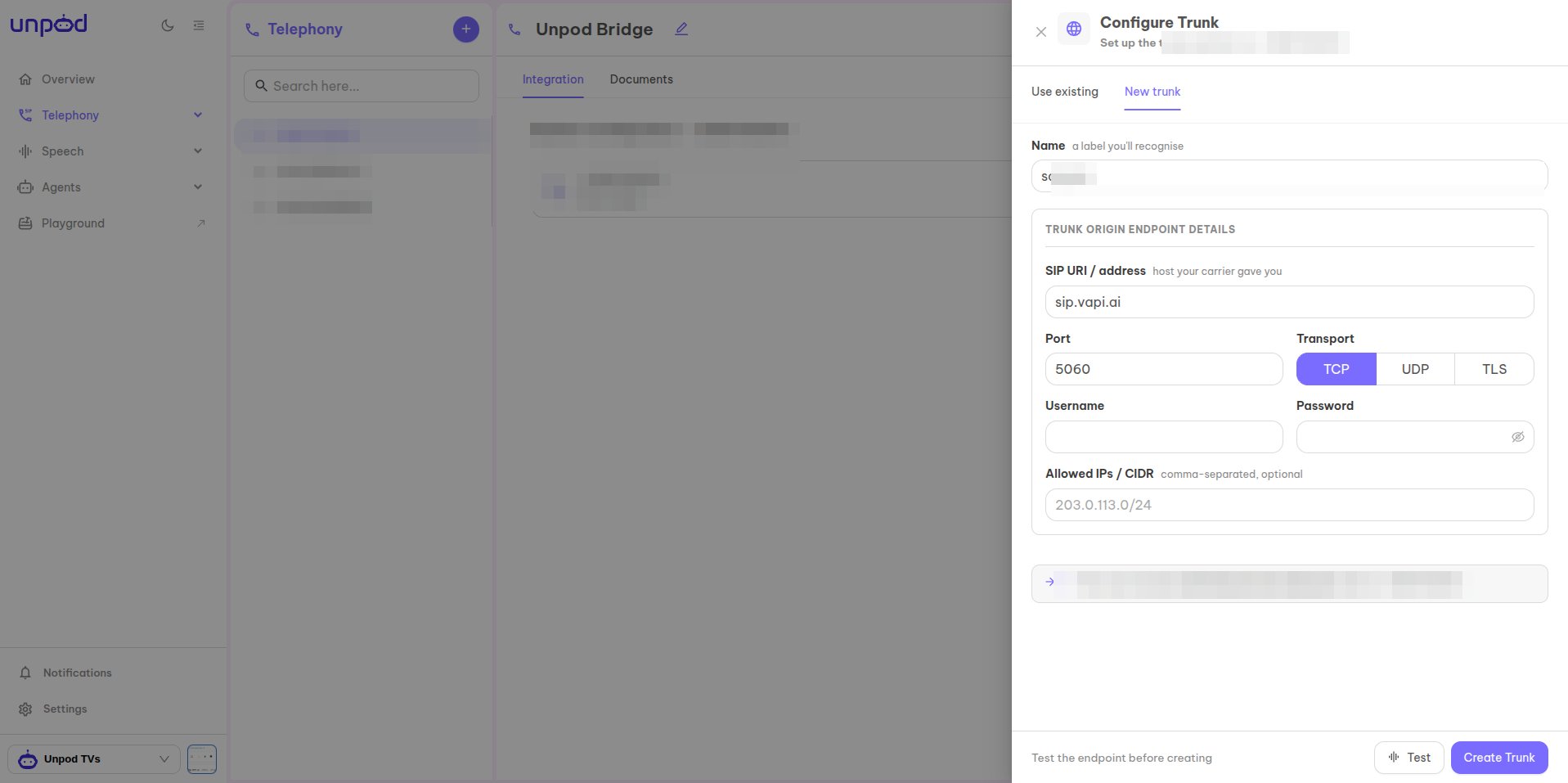
- SIP URI / address - your Daily SIP dial-in address
(e.g.
sip:endpoint@your-subdomain.sip.daily.co). - Port
5060and Transport (TCP/UDP/TLS). - Allowed IPs / CIDR - optional source allow-list.
2
Copy the origin-endpoint credentials
The number now shows Linked · Daily. Under Origin Endpoint Details copy the
values - Daily uses them to reach Unpod: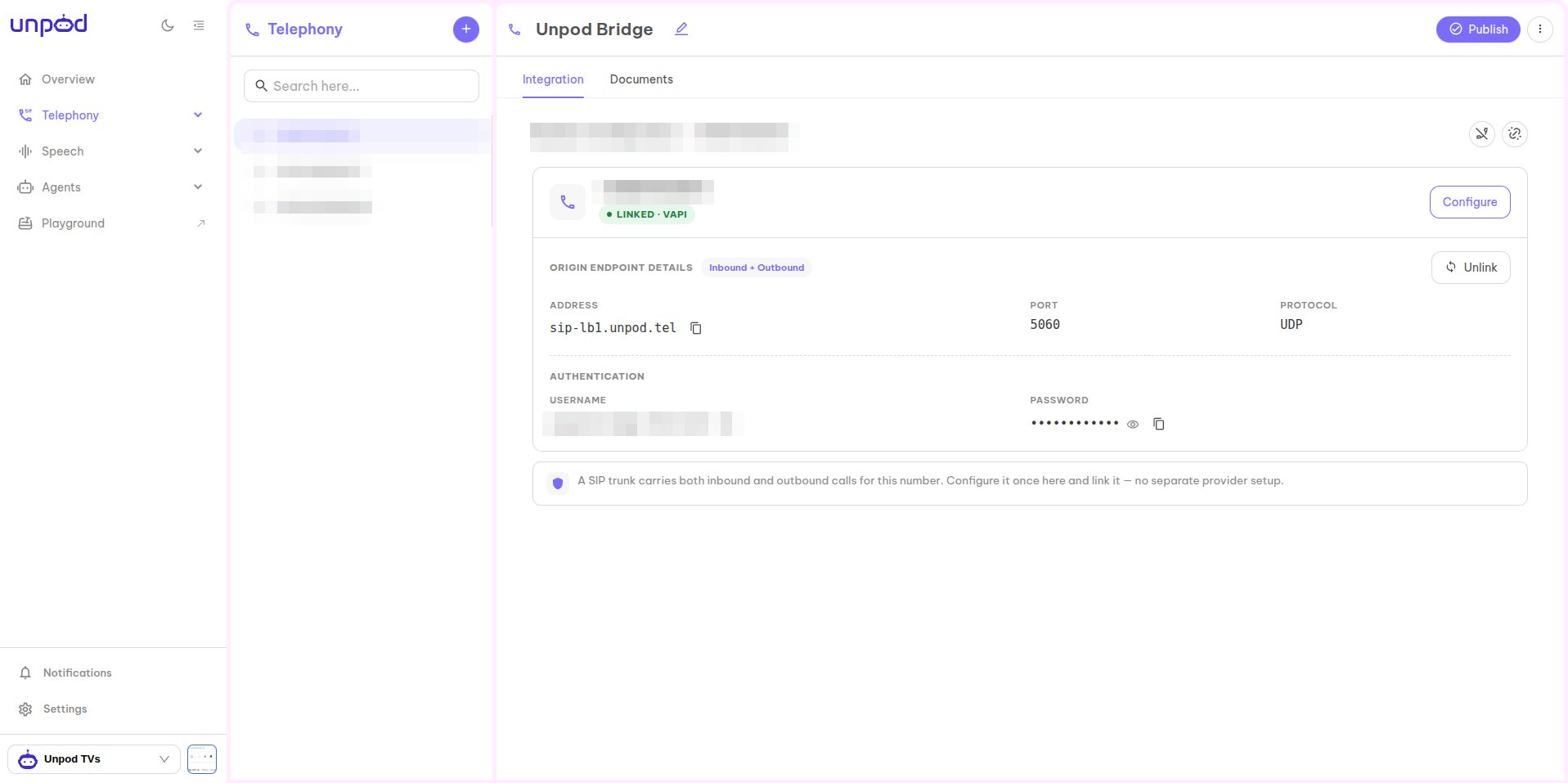
- Address - e.g.
sip-lb1.unpod.tel - Port / Protocol -
5060/UDP - Username and Password (under Authentication)
Part 2 - Enable SIP dial-in on Daily
Daily has no fixed SIP host - each room exposes its own SIP address. Enable SIP dial-in so Daily gives you thesip_uri you entered in Part 1.
1
Turn on SIP dial-in for your room
Enable SIP dial-in on the Daily room (set the room’s
sip property with
sip_mode: "dial-in"). Daily returns a read-only sip_uri in the form
sip:<endpoint>@<your-subdomain>.sip.daily.co. This is API-only - Daily has no
dashboard screen for it.2
Route calls to your agent
Point that room / SIP dial-in at the agent that should answer, so incoming calls from
the Unpod trunk connect to it.
Daily’s SIP dial-in setup is API-driven (room
sip property / pinless_dialin). See
Daily’s SIP dial-in docs.Part 3 - Publish
Back in the Unpod Studio, click Publish to activate the configuration. The number is then ready for inbound and outbound calls.Troubleshooting
Do it with code
Same flow over the REST API.
All platforms
Back to the integrations overview.