

Two tabs, two libraries
The playbook gallery is where every agent lives. It has two tabs:Public
Every public playbook, from all users. Browse without an account, open one
in the Playground, talk to it, and clone it to start your own.
My Playbook
Your own private playbooks and drafts. Requires login. Open one to keep
editing, testing, or publishing it.
Only playbooks published as Public appear in the Public tab. Ones you keep
Private or Unlisted never show up there - see
visibility levels.
Public playbooks - browse and reuse
The Public tab lists every publicly shared agent. Use it to start from someone else’s working agent instead of a blank page.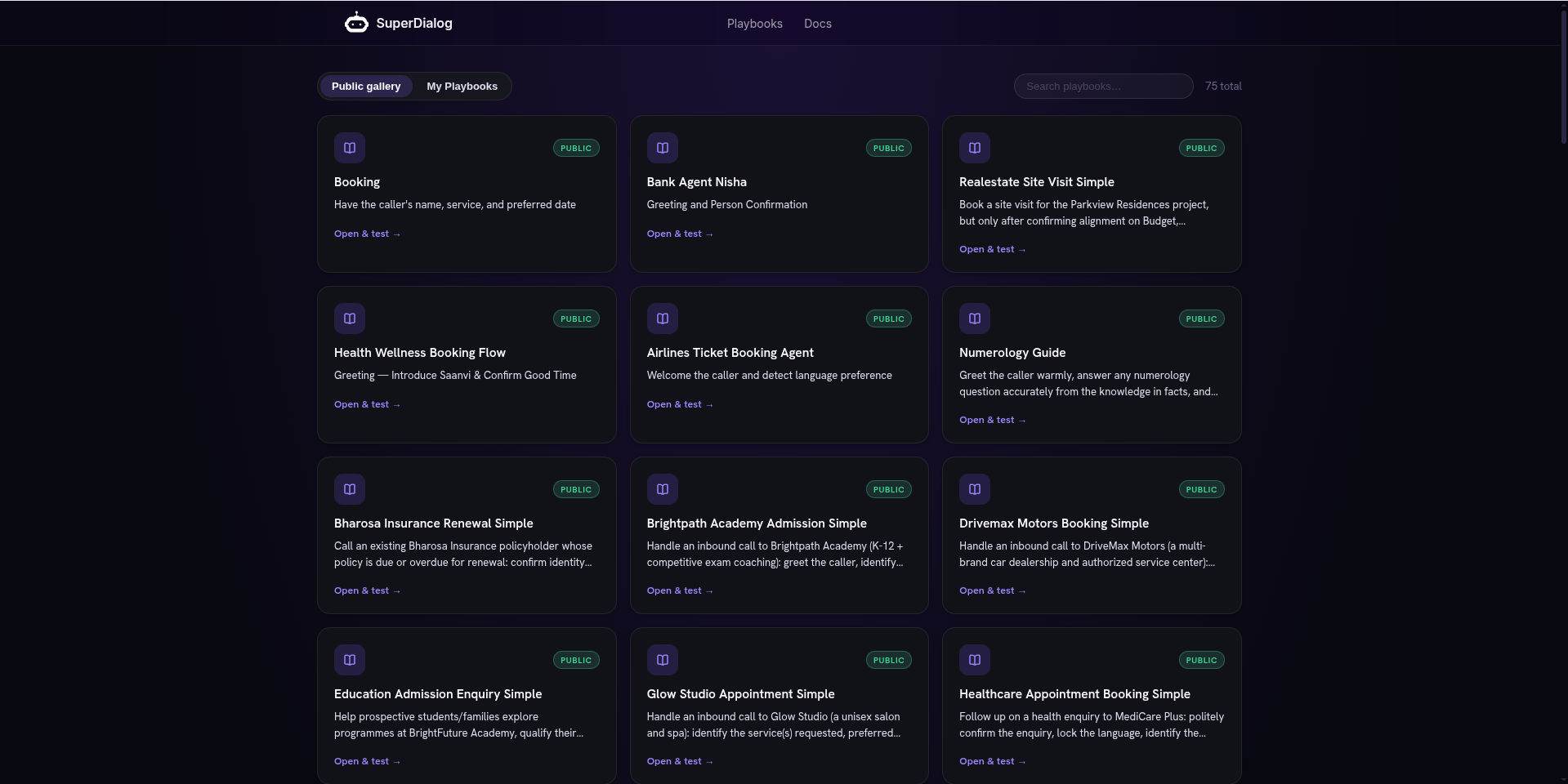
The gallery - Public vs My Playbook tabs, search, and a View in Playground action per row
1
Find one
Scan the list or use the search box to filter by name. No account needed
just to browse.
2
Open it
Hit View in Playground. The agent loads and you can Press to talk and
hear it, exactly as its author built it.
3
Make it yours
Use Clone & edit to copy it into your own private playbook. Now you
can change the persona, checkpoints, and voice without touching the original.
If the Public tab says “No public playbooks available yet,” nothing has been
published publicly in your environment yet - build one and
publish it Public to seed the gallery.
My Playbook - your own agents
The My Playbook tab (login required) is your private library: everything you have created or cloned. Each row shows its state - a Draft tag marks a playbook you have saved but not published.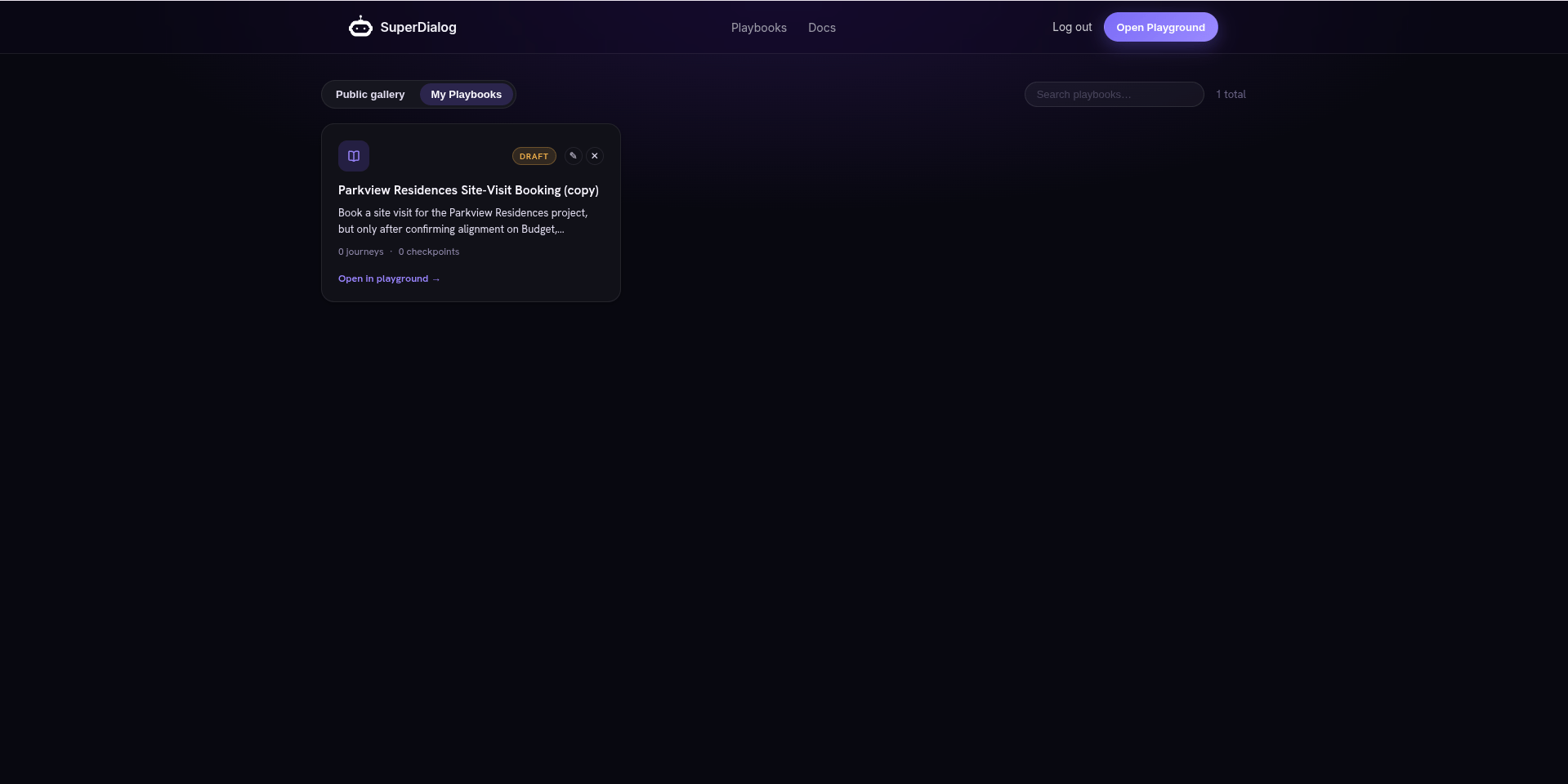
My Playbooks tab showing a draft playbook with Open in playground action
1
Open
View in Playground loads your playbook into the Editor + chat, right where
you left it.
2
Continue
Edit it in chat or by hand, test in Preview, and publish or
deploy when it is ready.
Empty tab? “You don’t have any private playbooks yet. Create one in the
Playground.” Head to Build an agent playbook to make your
first one.
Switching playbooks inside the Playground
You do not need to go back to the gallery to change agents. The top of the chat rail has a playbook picker:- Click it to open the dropdown, search by name, and Select any playbook you can access (yours, or a public one, tagged accordingly).
- New playbook starts a fresh, blank agent.
- A history affordance next to it lists your past Conversations (threads) for the current playbook, so you can reopen or start a New chat.
Where each one goes next
Cloned a public one?
Reshape it in chat - change persona, checkpoints, and sources.
Reopened yours?
Press to talk and confirm it still behaves before you ship changes.
Ready to share yours?
Set it Public so it shows in the gallery, or Unlisted for a private link.
New here?
Start with what a playbook is and why it beats a prompt or a graph.