> ## Documentation Index
> Fetch the complete documentation index at: https://docs.unpod.ai/llms.txt
> Use this file to discover all available pages before exploring further.
# Ultravox (Dashboard)
> Connect Ultravox to Unpod - use your Unpod number as the SIP trunk that Ultravox places outbound AI voice calls through.
Use your **Unpod number as the SIP trunk** for **Ultravox** outbound calls. You gather
credentials from both dashboards, then Ultravox places the call through Unpod over SIP -
reaching regular phone numbers worldwide. Prefer raw requests? See the
[API guide](/telephony/integrations/ultravox/api).
**You need:** an Unpod number on a Bridge, and an Ultravox account with an **agent**
and an **API key**.
Treat your SIP username/password and API key as secrets - never paste them into shared
docs or screenshots.
## What you'll collect
| Service | Item | Where |
| -------- | ------------------------ | -------------------------------- |
| Ultravox | **API key** | Ultravox dashboard |
| Ultravox | **Agent ID** | Ultravox dashboard |
| Unpod | **SIP domain / address** | Number's trunk → Origin Endpoint |
| Unpod | **Username** | Number's trunk → Origin Endpoint |
| Unpod | **Password** | Number's trunk → Origin Endpoint |
| Unpod | **Phone number** | Telephony → Numbers |
## Part 1 - Get your Ultravox agent + API key
In the Ultravox console, open **Agents** and create an agent (set its system prompt
and voice). Copy its **Agent ID** - you'll pass it in the call request.
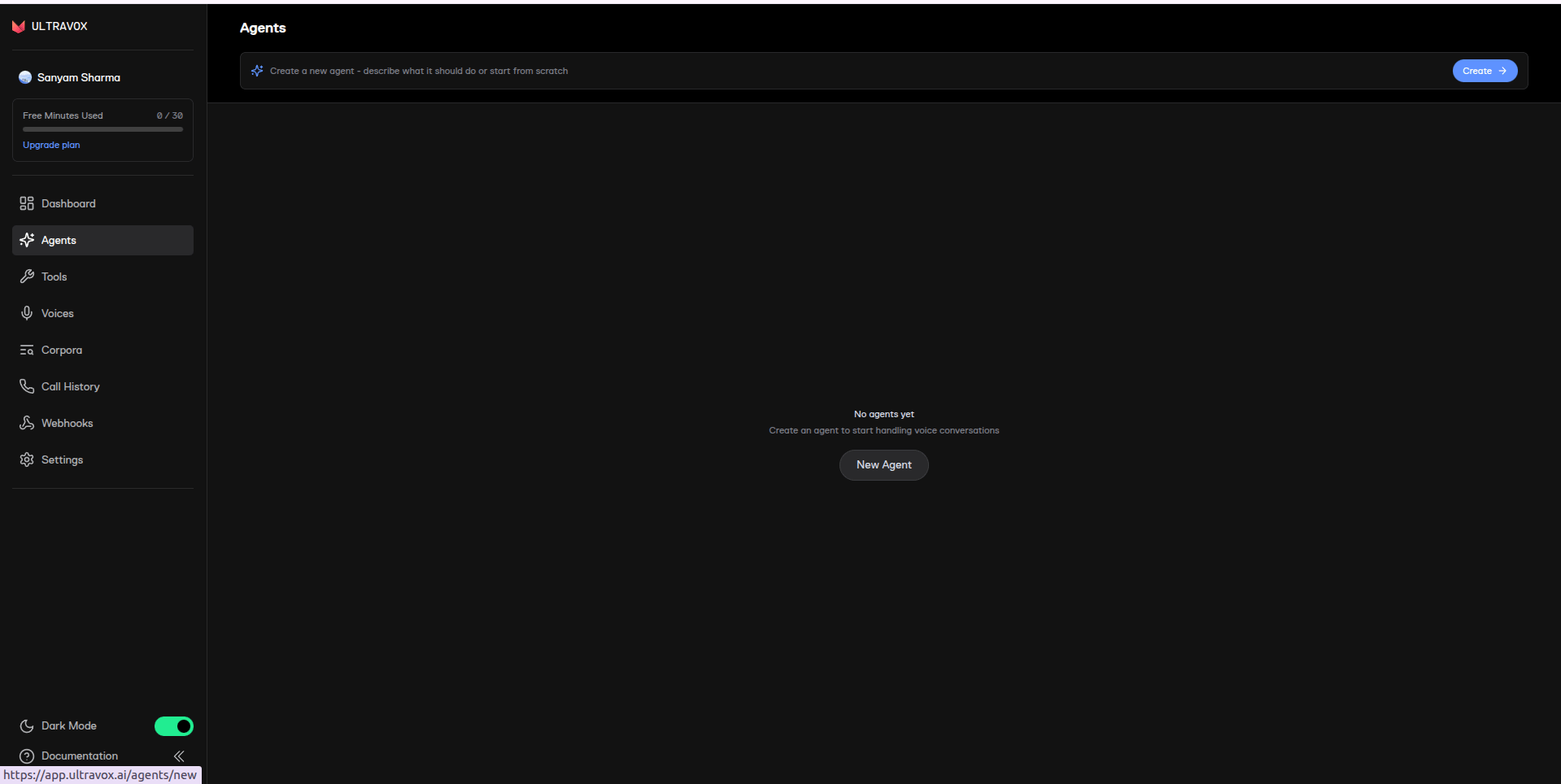 Generate an **API key** in the Ultravox console and copy it.
 ## Part 2 - Get your Unpod SIP credentials
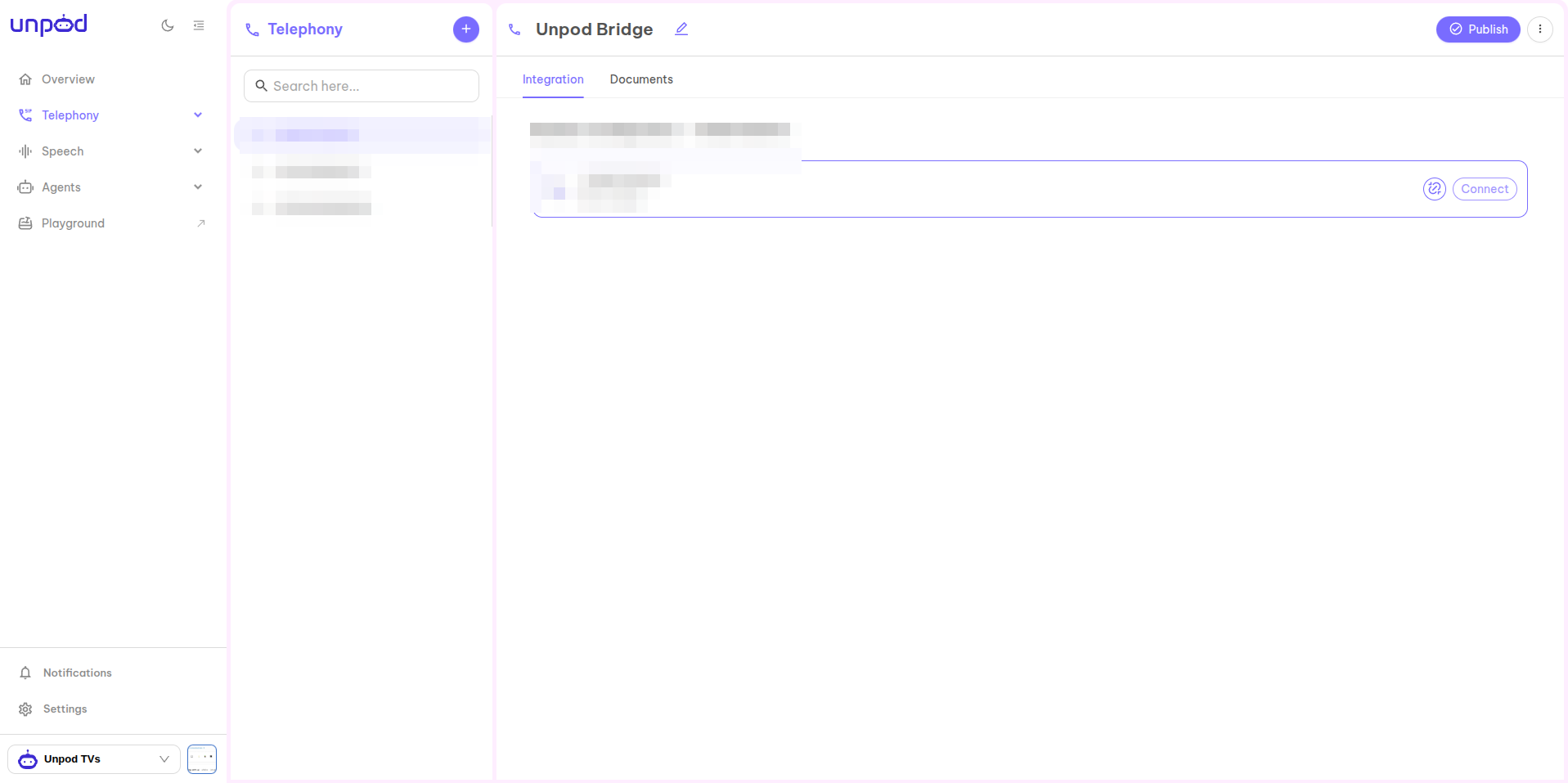
In **Telephony**, select your number (shown as **Not Linked**) and click **Connect**
to set up its SIP trunk.
## Part 2 - Get your Unpod SIP credentials
In **Telephony**, select your number (shown as **Not Linked**) and click **Connect**
to set up its SIP trunk.
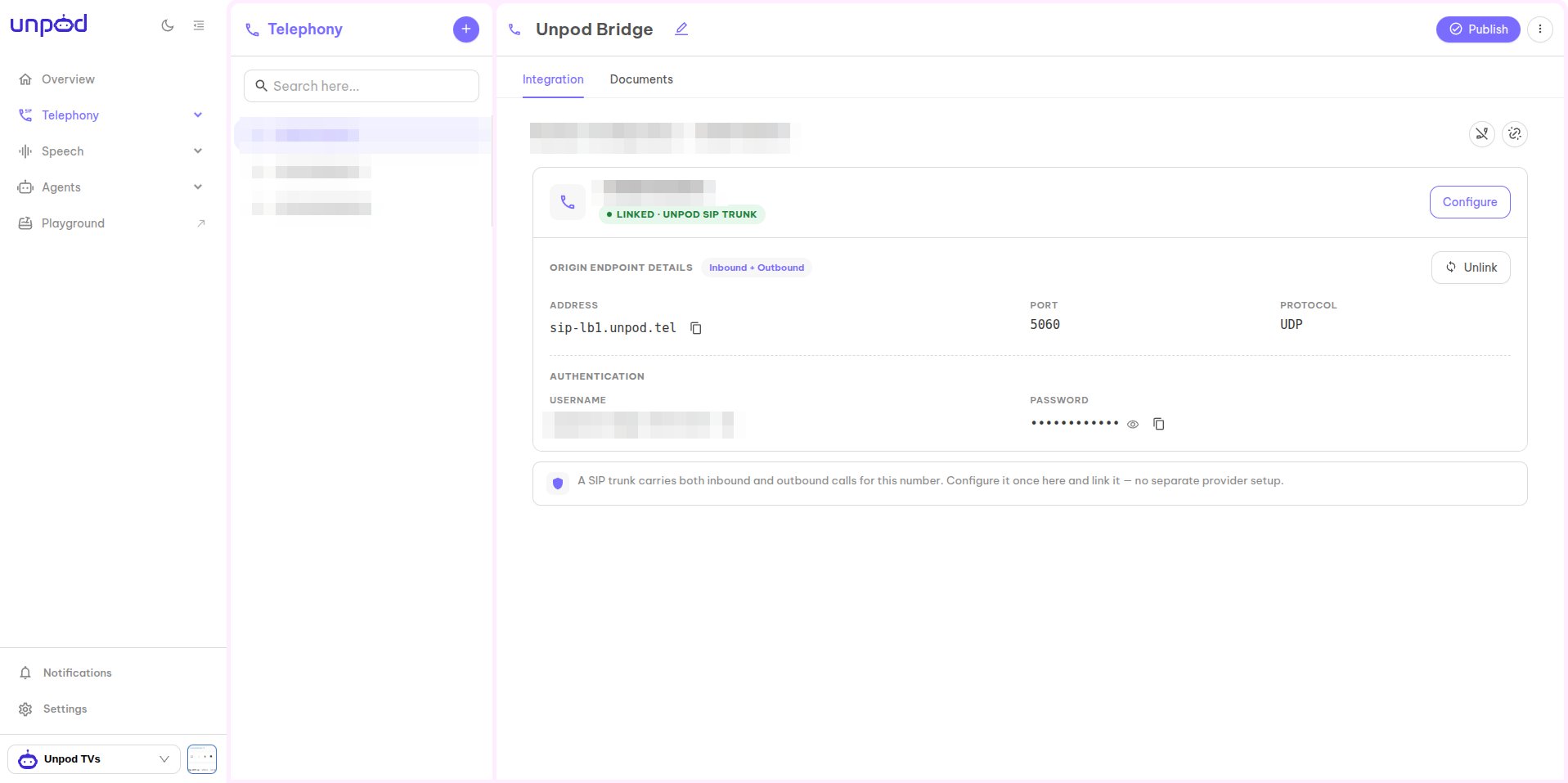
 Open the trunk panel and under **Origin Endpoint Details** copy:
* **Address** - your Unpod SIP domain (e.g. `sip-lb1.unpod.tel`).
* **Username** and **Password** (under **Authentication**).
* Your **phone number** in E.164 (e.g. `+918071539111`).
Open the trunk panel and under **Origin Endpoint Details** copy:
* **Address** - your Unpod SIP domain (e.g. `sip-lb1.unpod.tel`).
* **Username** and **Password** (under **Authentication**).
* Your **phone number** in E.164 (e.g. `+918071539111`).
 ## Part 3 - Place the call through Ultravox
Ultravox triggers the outbound call over your Unpod trunk. There's no dashboard button for
this - send one request to Ultravox's **Create Agent Call** endpoint with the SIP details
from Parts 1-2:
```bash cURL theme={null}
curl -X POST https://api.ultravox.ai/api/agents/YOUR_AGENT_ID/calls \
-H "X-API-Key: YOUR_ULTRAVOX_API_KEY" \
-H "Content-Type: application/json" \
-d '{
"medium": {
"sip": {
"outgoing": {
"to": "sip:+919999999999@",
"from": "+918071539111",
"username": "",
"password": ""
}
}
},
"firstSpeakerSettings": { "user": {} }
}'
```
* **`to`** - destination number as a SIP URI at your Unpod domain.
* **`from`** - your Unpod number (caller ID).
* **`username` / `password`** - the Unpod origin-endpoint credentials.
The agent answers when the callee picks up. See the
[API guide](/telephony/integrations/ultravox/api) for the full request/response and debugging.
## Troubleshooting
| Symptom | Likely cause | Fix |
| ---------------- | ----------------------- | ----------------------------------------------------------- |
| SIP `403` | Auth rejected | Re-copy the Unpod **Username/Password** (case-sensitive) |
| SIP `407` | Proxy auth required | Confirm `username`/`password` are sent in `sip.outgoing` |
| SIP `480` | Destination unavailable | Verify the `to` number and that your Unpod number is active |
| Call never rings | Wrong SIP domain | Use the exact **Address** from the Unpod origin endpoint |
Full request/response + SIP log debugging.
Back to the integrations overview.
## Part 3 - Place the call through Ultravox
Ultravox triggers the outbound call over your Unpod trunk. There's no dashboard button for
this - send one request to Ultravox's **Create Agent Call** endpoint with the SIP details
from Parts 1-2:
```bash cURL theme={null}
curl -X POST https://api.ultravox.ai/api/agents/YOUR_AGENT_ID/calls \
-H "X-API-Key: YOUR_ULTRAVOX_API_KEY" \
-H "Content-Type: application/json" \
-d '{
"medium": {
"sip": {
"outgoing": {
"to": "sip:+919999999999@",
"from": "+918071539111",
"username": "",
"password": ""
}
}
},
"firstSpeakerSettings": { "user": {} }
}'
```
* **`to`** - destination number as a SIP URI at your Unpod domain.
* **`from`** - your Unpod number (caller ID).
* **`username` / `password`** - the Unpod origin-endpoint credentials.
The agent answers when the callee picks up. See the
[API guide](/telephony/integrations/ultravox/api) for the full request/response and debugging.
## Troubleshooting
| Symptom | Likely cause | Fix |
| ---------------- | ----------------------- | ----------------------------------------------------------- |
| SIP `403` | Auth rejected | Re-copy the Unpod **Username/Password** (case-sensitive) |
| SIP `407` | Proxy auth required | Confirm `username`/`password` are sent in `sip.outgoing` |
| SIP `480` | Destination unavailable | Verify the `to` number and that your Unpod number is active |
| Call never rings | Wrong SIP domain | Use the exact **Address** from the Unpod origin endpoint |
Full request/response + SIP log debugging.
Back to the integrations overview.