> ## Documentation Index
> Fetch the complete documentation index at: https://docs.unpod.ai/llms.txt
> Use this file to discover all available pages before exploring further.
# What is the Playground
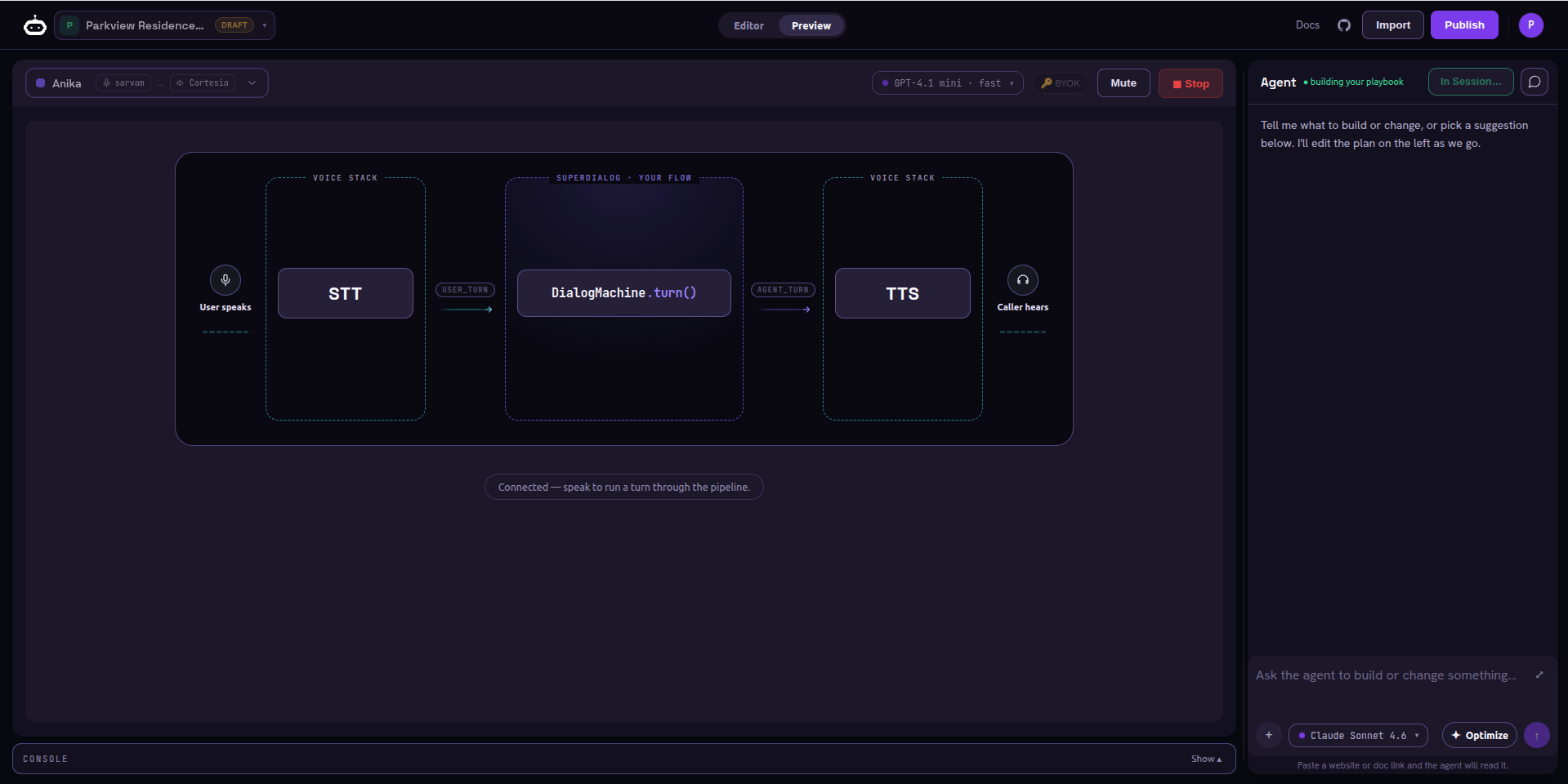
> The Playground is the no-code home for a playbook: describe an agent, get a working playbook, test it by voice, harden it, and ship it - all on one screen. What you hear here is what a caller hears.
## The no-code home for your playbook
The **Playground** collapses a three-day authoring job into about thirty minutes.
Describe an agent, get a working [playbook](/playbook/what-is-a-playbook), test it
by voice, harden it, and take it live - **without leaving one screen.**
It runs the same stack production does. The playbook is authored with
**SuperDialog**; the browser voice call is served by the same `AgentRunner` that
serves a real phone call. **What you hear in the Playground is what a caller
hears.**
▶
Open the Playground
Launch it at superdialog.unpod.ai/playground, describe an agent, and start talking to it in your browser. A guest trial lets you build before you sign up.
→
## One screen, three surfaces
You describe the agent in plain English ("confirm appointments, fall back to
5pm"). The builder agent authors and edits the playbook for you. Attach a
PDF or paste a URL and it reads from those too.
The live playbook YAML. Every change the chat makes lands here; you can also
edit it by hand. Validation runs as you type.
The voice test. Press to talk, speak like a caller, and watch the transcript,
the current checkpoint, and the metrics update live.
 ## The end-to-end journey
Describe it in chat or start from a document; the agent writes the playbook.
Press to talk in the browser and confirm it behaves like a real call.
Run simulated personas, score goal completion, and harden the weak spots.
Set visibility, share by link, clone, then deploy - as a voice agent on a
number, or as an API endpoint.
## Reuse an existing agent
You do not have to start from a blank page.
The **Public** tab lets you open and clone any agent others published; the
**My Playbook** tab holds your own drafts.
## Who this section is for
| You are... | Start here |
| ------------------------------------------------------------------ | ------------------------------------------------------------------------------- |
| **A builder** (non-technical) who wants a working voice agent fast | [Build an agent playbook](/playbook/build-an-agent) - operate the Playground UI |
| **A developer** who wants to call the agent from code | [Endpoint API](/playbook/api) - the OpenAI-compatible endpoint |
| **Curious how the brain works** underneath | [SuperDialog](/superdialog/introduction) - the engine behind every playbook |
The Playground is where you *build and prove* an agent. To put it in front of
real callers, deploy the published agent as a **Voice Agent** on a
[number](/speech-stack/numbers) (it wires a [Speech Pipe](/speech-stack/pipes)
for you) - covered in [Publish & share](/playbook/publish-and-share).
## The end-to-end journey
Describe it in chat or start from a document; the agent writes the playbook.
Press to talk in the browser and confirm it behaves like a real call.
Run simulated personas, score goal completion, and harden the weak spots.
Set visibility, share by link, clone, then deploy - as a voice agent on a
number, or as an API endpoint.
## Reuse an existing agent
You do not have to start from a blank page.
The **Public** tab lets you open and clone any agent others published; the
**My Playbook** tab holds your own drafts.
## Who this section is for
| You are... | Start here |
| ------------------------------------------------------------------ | ------------------------------------------------------------------------------- |
| **A builder** (non-technical) who wants a working voice agent fast | [Build an agent playbook](/playbook/build-an-agent) - operate the Playground UI |
| **A developer** who wants to call the agent from code | [Endpoint API](/playbook/api) - the OpenAI-compatible endpoint |
| **Curious how the brain works** underneath | [SuperDialog](/superdialog/introduction) - the engine behind every playbook |
The Playground is where you *build and prove* an agent. To put it in front of
real callers, deploy the published agent as a **Voice Agent** on a
[number](/speech-stack/numbers) (it wires a [Speech Pipe](/speech-stack/pipes)
for you) - covered in [Publish & share](/playbook/publish-and-share).